Woman And computer
Human And Computer
Showing posts with label Google. Show all posts

Google Launches Open Source YouTube Channel

Google has launched an open source channel on YouTube. The aim is to collect and organize all the videos related to Google and open source projects in one location.

This YouTube channel is managed by the "Open source programs office" of Google, who's duty is to maintain a healthy relationship with the open source software development community.


The Open Source Programs Office at Google handles both internal open source compliance and external outreach programs, including source release, open source infrastructure, the Google Summer of Code and much more.


The Google open source YouTube channel currently has 14 videos, with links to a variety of videos from other channels and users.


Do check out the googleOSPO's YouTube Channel.

Google Demonstrates The Advantages Of Using Google Notebook

Google is pulling in all stops to win over all skeptics to the Google Chrome OS way of computing.

The prominent feature being - "You just cannot lose your data on a Google Chrome notebook". Google has gone to great lengths to convince us about this - so much so that it destroys 25 computers to create this stupefying video.

Watch the following video to believe it!!

Get A Free Chrome Notebook From Google

Labels: , ,

Google is actively looking for volunteers to test drive its Chrome OS loaded notebooks and provide feedback.

You will receive - free of cost - a brand new notebook loaded with the Google Chrome OS. Courtesy of Google.Be one of the first to test drive the Chrome Operating System.Bragging rights.Unfortunately, not every body is eligible. You should be living in the United States and should be an adult (> 18 years old) to take part in this free giveaway from Google.

If you fit the bill and are interested in checking out what this Chrome OS hype is all about, then visit the following page and fill up the form. Who knows, you may be the lucky one and just might land yourselves a brand new notebook running Google Chrome OS.


Please note, the deadline for applying is December 21, 2010 11.59 PM PST. So hurry.

Google Unveils Chrome OS - A Browser Based Operating System

Google unwraps its much awaited Chrome OS - a browser based operating system, which the Google CEO Eric Schmidt has termed "a viable third choice" over the popular traditional OSes Microsoft Windows and Apple OS X.

Chrome OS which runs on a customized Linux kernel banks heavily on the concept of Cloud computing. All your data and the applications reside on a remote server and not on your machine.


Google says this makes data backups redundant. Even if your laptop running Chrome OS gets stolen, you don't lose your data. All you need to do is buy another Chrome OS laptop and you are up and running. More over, because the data store on your Chrome OS laptop is encrypted, no one will be able to break into it and access your data.


Notebooks running Chrome OS will be available from Samsung Electronics Co and Acer Inc in the first half of 2011.


Google has also hinted that Chrome OS is designed to work across a wide range of screen sizes and foam factors, enabling hardware manufacturers to deliver computing devices beyond notebooks. Which makes me wonder if Chrome OS is discretely being positioned as a future replacement to Google Android.


Google also unveiled the Chrome Web Store which is an online store that helps a Chrome OS user discover and download new applications. Chrome Web Store has been designed on similar lines to many online stores by mobile phone providers such as Nokia's Ovi store, Apple's App store, Samsung Apps, and so on.


[Source : Google Chrome blog]

In the clouds again

Tonight I'm travelling up to Loughborough University to speak at tomorrow's Google Apps for Education User Group meeting. Together with the University of Portsmouth's Manish Malik I will be presenting a paper on our latest thinking around Cloud Learning Environments. Other speakers include Tony Hirst and Niall Sclater (both at the Open University), Nick Skelton (University of Bristol) and presided over by Martin Hamilton (Loughborough University). You can follow the entire day's proceedings by checking the Twitter hashtag #guug11. Here's our abstract:

Manish Malik (Faculty Learning and Teaching Coordinator at the University of Portsmouth) and Steve Wheeler (Associate Professor of Learning Technology at the University of Plymouth) discuss the recent developments and the patterns emerging within the CMS/LMS/VLE product sector. From BB & Moodle 1.0 to BBoogle & Moodle 2.0/Google to Sakai 3.0/Canvas to a GApps based learning environment. Also they highlight and demo an application that shows the potential that Google Apps and other loosely coupled Web 2.0 services have in creating an open Virtual Learning Environment that is cloud based or a "Cloud Learning Environment."

Image source by Marcos Papapopolus

Creative Commons Licence
In the clouds again by Steve Wheeler is licensed under a Creative Commons Attribution-NonCommercial-ShareAlike 3.0 Unported License.

Find Followers - Use Twitter Lists

Grow your network and discover people to follow using Twitter Lists...

I manage a number of twitter accounts and have lots of lists and I really believe these lists are a useful tool to increase follower numbers and blog readers.  So with New Year in mind perhaps it's time to create a few, or follow a few...
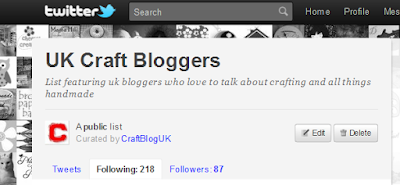


The list I keep for @craftbloguk can be found here - http://twitter.com/CraftBlogUK/uk-craft-bloggers/members (it needs updating and that's the only downside of a list)  It just takes a click to add someone to a list and if you do this each time you follow or find a new tweeter it's easily manageable.

Lists are a great way to increase followers and  find followers through networking with curated groups of tweeters that share common goals or interests. 

Curating twitter lists is simple, no special skills needed whatsoever.  To make a list just click on the tab 'lists' on your twitter home page and click 'create a list' - the instructions are easy to follow.  Even simpler than creating a list is finding a list and either following the list or clicking through to 'following' and finding individual people to follow. 


Following others is a good way of introducing yourself and of course your blog, the idea is they will follow you back. That's not always the case, but sitting back and expecting followers to find you is going to get very boring!  There are three tabs when you click on someones list, tweets, following and followers.  Clicking on Following or Followers will give you a list of people with the green 'follow' buttons beside each name so when you have the time, look through and follow, follow, follow!  Take care not to overdo it or twitter will not be happy and think you are a spammer as well as other people who see your follow/follower ratio.  You can use services like Friend or Follow to find out who hasn't followed you back.

It's a great idea to tweet a curator of a list and congratulate them on their list, especially if it's a network that you want to be a part of - the fact they have created a list shows they are passionate about their subject. Include the link and they will probably retweet it, I certainly do (and will continue to do so ;)

How to find twitter lists

I write this blog for UK Craft Bloggers so I search through lists people have made with UK sellers of Craft.  I use Listorious to find good lists.  My Craft Blog UK list is 4th on their 'Top Craft Lists' list, it's rather nice to see my twitter avatars are sitting up there next to the big E.  I also use tweet decks directory of lists.


If you look at the make up of a list - http://twitter.com/CraftBlogUK/uk-craft-bloggers you will see that it's the users twitter address followed by the name of their list.  This means you can also use google by doing a site search.  Hopefully twitter will actually enable us to search lists soon too, I've had a good look and I can't see how to do it. So using google, if you are interested in jewellery lists paste this search to google -   site:twitter.com/*/jewellery  - just change jewellery for your chosen keyword.

A list of things to do:
  1. Create a great twitter list - it doesn't have to be huge, in fact it's better to be selective so people want to get onto it.
  2. Tweet and facebook about it to get followers of your awesome list
  3. Blog about it to get followers of your awesome list (your list is fab and needs to be shared)
  4. Tell people you have added them to your fabulous list
  5. Search for lists
  6. Follow, follow, follow and engage with people on like minded lists who will enjoy your blog posts
  7. Tell more people about your 'useful/inspiring/kick ass  (delete as applicable) list...
  8. Become renowned on twitter as an expert in your field   ;)
Thanks for reading - back soon with more help for UK Craft Bloggers - please let me know if you want me to blog about something in particular.

x H

Submit your UK Craft Blog! (I still have a huge backlog so do bear with me - CBuk is a hobby for me and when I'm busy it has to take a back seat - blame http://blog.folksy.com and http://haptreeandme.blogspot.com )

Google Maps for Command & Control

You've probably heard about the protests going on in London concerning the proposed uptick in University fees and the way in which some of the actions (from both sides) have gotten out of hand.

We'll it appears that Google Maps has/is been/being used for command and control of the various protesting actions by some - tracking where the police/brocades/ambulances are etc.

It's an interesting use of the mapping technology.

Student protesters use Google Maps to outwit police on the Metro.co.uk

 
Internet